
By using this site, you agree to the Privacy Policy and Terms of Use.
Accept
India Times NowIndia Times NowIndia Times Now
Notification Show More
Font ResizerAa
  • Bharat Shreshtha Ratna Sanman
  • India News
  • Categories
    • Technology
    • Entertainment
    • The Escapist
    • Insider
    • Finance ₹
    • India News
    • Science
    • Health
Reading: How to check if your BLO has uploaded your Enumeration Form on the ECI Portal?
Share
India Times NowIndia Times Now
Font ResizerAa
  • Bharat Shreshtha Ratna Sanman
  • India News
  • Categories
Search
  • Bharat Shreshtha Ratna Sanman
  • India News
  • Categories
    • Technology
    • Entertainment
    • The Escapist
    • Insider
    • Finance ₹
    • India News
    • Science
    • Health
Have an existing account? Sign In
Follow US

Home » How to check if your BLO has uploaded your Enumeration Form on the ECI Portal?

India News

How to check if your BLO has uploaded your Enumeration Form on the ECI Portal?

India Times Now Desk
Last updated: November 28, 2025 11:48 am
India Times Now Desk
Published: November 28, 2025
Share
SHARE


Contents
  • How to check the upload status?
  • What to do if details are missing?
  • Why is this check important?
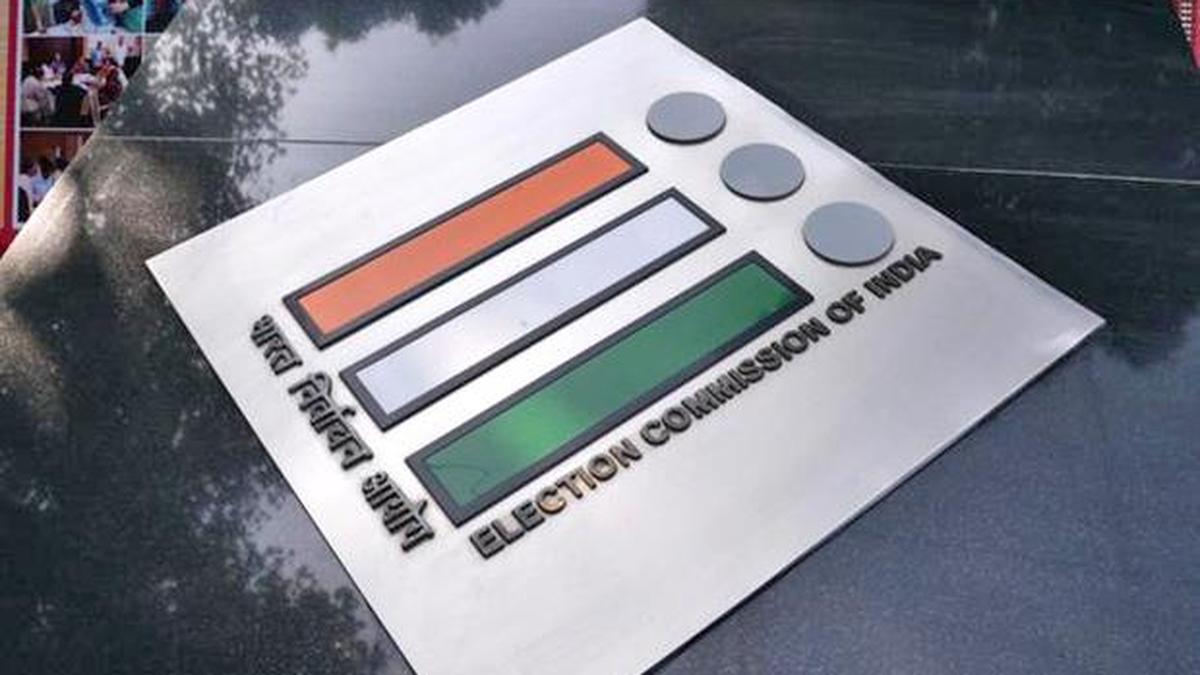
A View of the Logo of the Election Commission of India at the Nirvachan Sadan

A View of the Logo of the Election Commission of India at the Nirvachan Sadan
| Photo Credit: MOORTHY RV

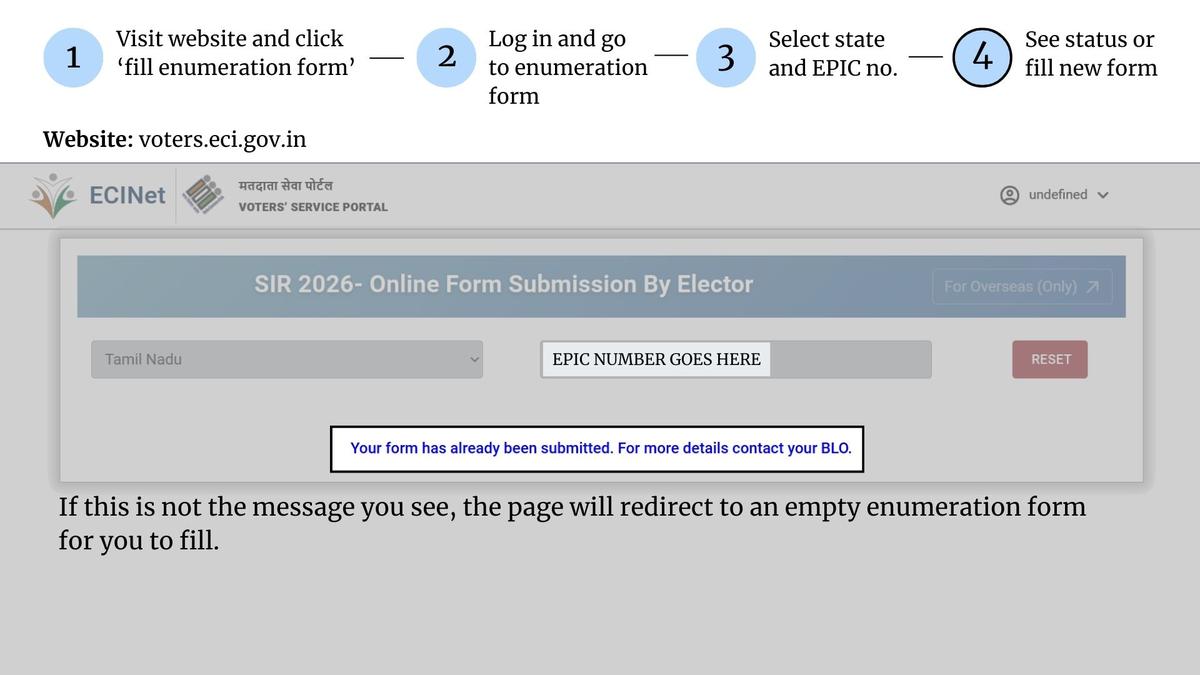
With the ongoing Special Intensive Revision (SIR) of electoral rolls, voters who have submitted their enumeration forms can now verify online whether their Booth Level Officer (BLO) has uploaded their details on the Election Commission of India (ECI) portal. The ECI has enabled a simple four-step process on its Voters’ Service Portal to help electors confirm the status of their submission.


Also Read: ‘Where is home? What is my identity?’ asks transgender community in West Bengal amid fear over SIR

As part of SIR 2026, electors across States have been submitting their enumeration forms through BLOs or online. To reduce delays and ensure transparency in roll preparation, the Commission has introduced an online verification feature, allowing voters to check whether their forms have been digitised.

How to check the upload status?

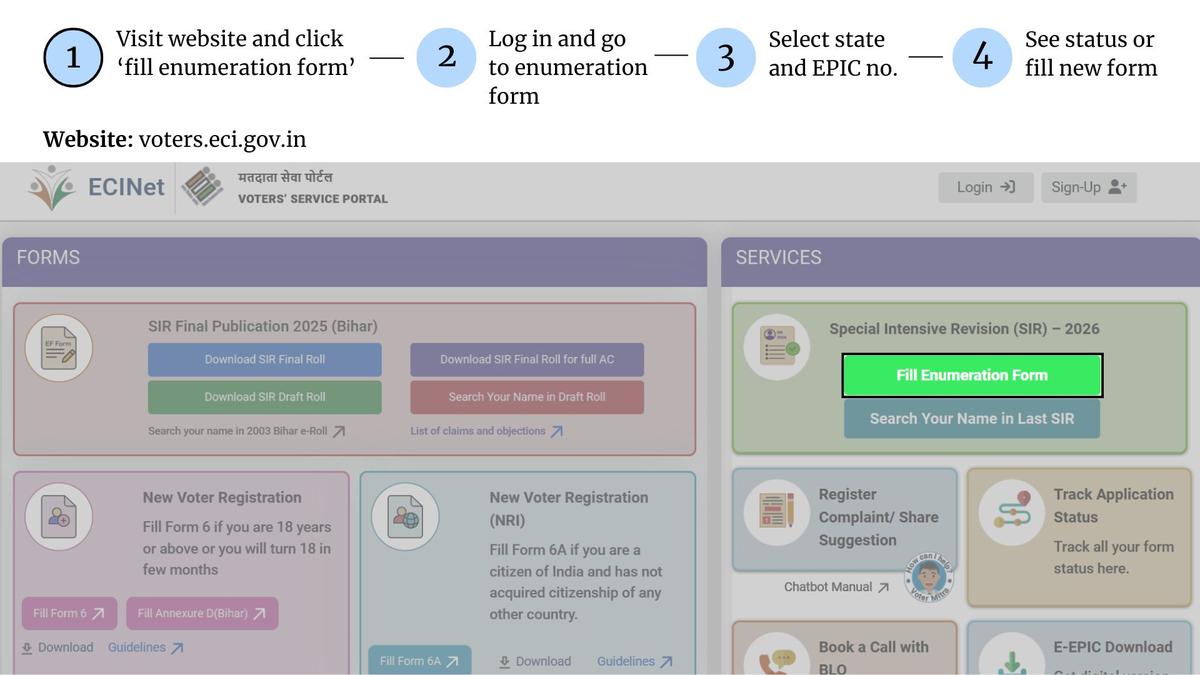
Step 1: Visit voters.eci.gov.in and click ‘Fill Enumeration Form.’

Upon opening the Voters’ Service Portal (voters.eci.gov.in), users must select the ‘Fill Enumeration Form’ option under the Special Intensive Revision (SIR) section. This redirects them to the login page.​​

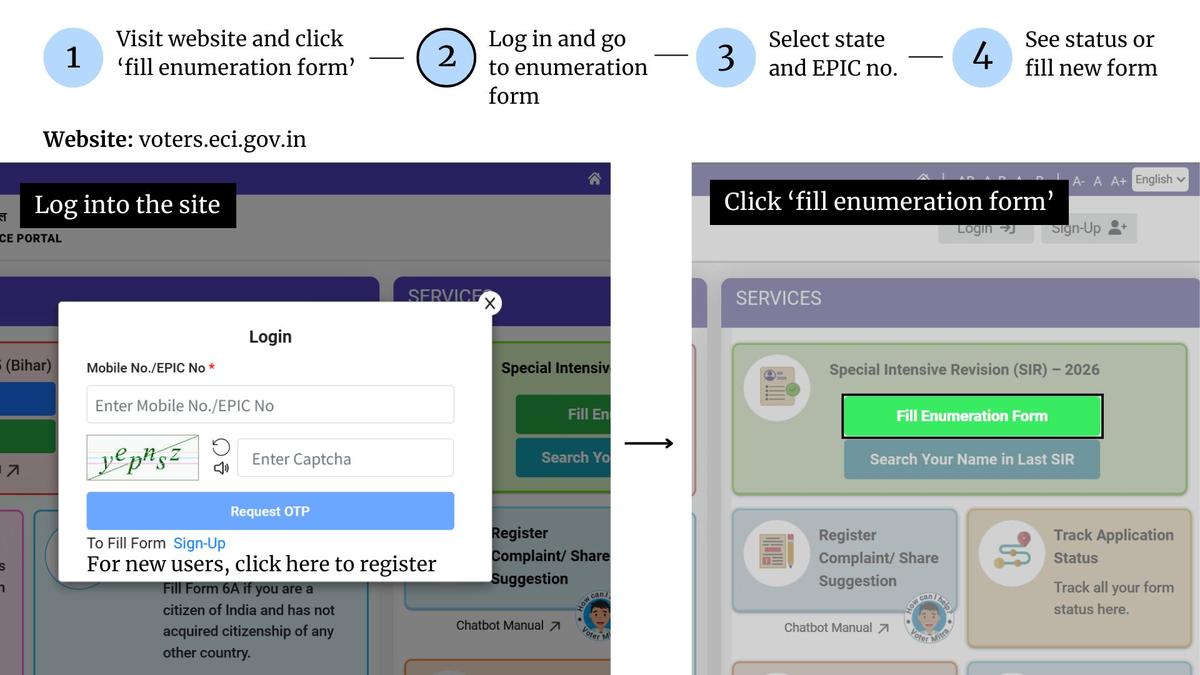
Step 2: Log in using your mobile number or EPIC

Existing users can log in using their mobile number/EPIC number, captcha, and OTP. First-time users must sign up before proceeding.
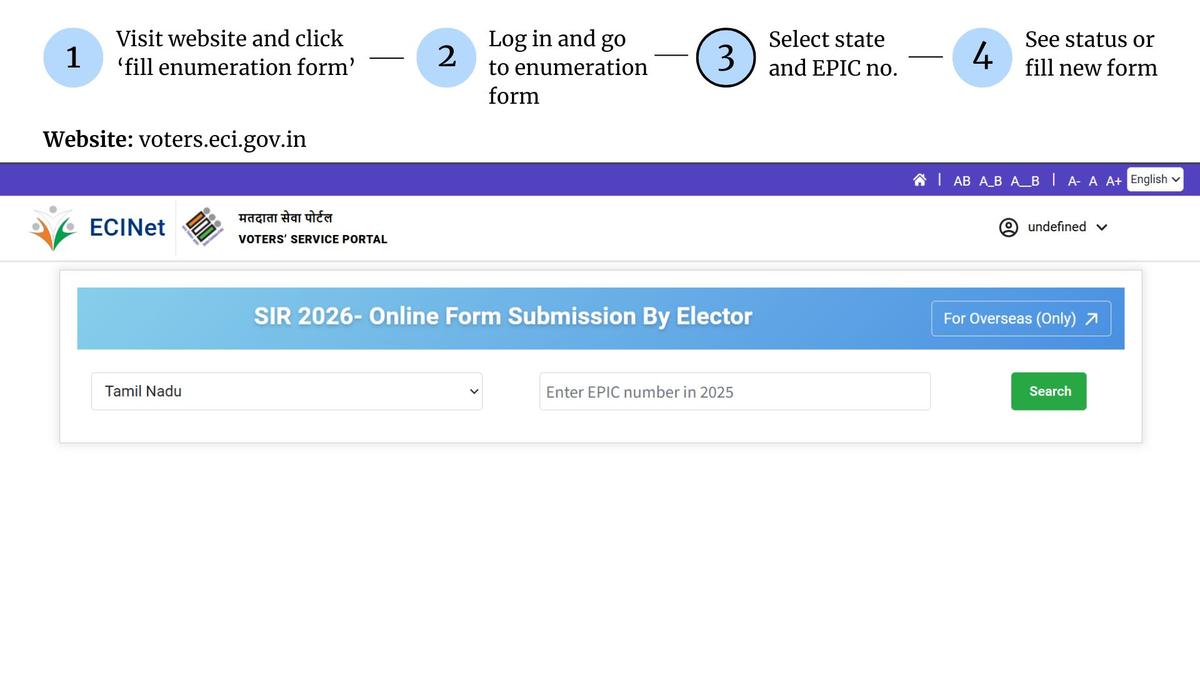
Step 3: Select your State and enter your EPIC number

After logging in, the portal displays a search form. Users must select their State and enter their EPIC (voter ID) number, then click ‘Search’.
Step 4: View your form status

If the BLO has already uploaded the enumeration form, the screen will display a message stating: “Your form has already been submitted. For more details contact your BLO.” If this confirmation does not appear, the portal will automatically open a blank enumeration form, indicating that the data has not yet been uploaded.
What to do if details are missing?

If the status does not show “submitted,” electors are advised to wait, as BLOs are continuing to upload forms in phases. In case the portal shows incorrect details or an unexpected “submitted” status, voters should contact the assigned BLO for clarification.

Why is this check important?

The enumeration process forms the backbone of accurate electoral rolls. With the ECI digitising verification mechanisms, electors now have a transparent method to monitor form uploads, reducing errors and ensuring their names appear correctly in the final rolls.

Published – November 28, 2025 05:18 pm IST


Source link

A wider SIR has momentum but it is still a test case
Workshop on PM-FME scheme for women SGHs conducted in Karnataka’s Mandya
‘One Nation, One Time’ and how it works | Explained
SFI protest over fee hike turns violent
Rajya Sabha polls: No deadlock in MVA talks; lone seat should go to Sena UBT, says Aaditya Thackeray
TAGGED:Enumeration Form on the ECI Portalhow to check if blo has digitised my detailsHow to check if your BLO has uploaded your Enumeration Form on the ECI Portal?SIR form on ECI portalSIR form submission
Share This Article
Facebook Email Print
Leave a Comment

Leave a Reply Cancel reply

Your email address will not be published. Required fields are marked *

Follow US

Find US on Social Medias
FacebookLike
XFollow
YoutubeSubscribe
TelegramFollow

Weekly Newsletter

Subscribe to our newsletter to get our newest articles instantly!
[mc4wp_form]
Popular News

Ready to associate with NSS, says Vellappally

India Times Now Desk
January 17, 2026
Kartavya trailer out: Saif Ali Khan battles duty and family in new gritty Netflix crime drama
Heavy rains lash Prakasam and Nellore districts, schools closed amid flood risk
Supreme Court agrees to hear Air India crash early as NGO flags lack of response from govt, AAIB
BLOs should not insist on hardcopies if Enumeration Forms were submitted online, says Telangana CEO
- Advertisement -
Ad imageAd image
Global Coronavirus Cases

Confirmed

0

Death

0

More Information:Covid-19 Statistics
© INDIA TIMES NOW 2026 . All Rights Reserved.
Welcome Back!

Sign in to your account

Username or Email Address
Password

Lost your password?